
Download Facebook Themes – Free Chrome Extension for Customizing Your Facebook Feed
Overview
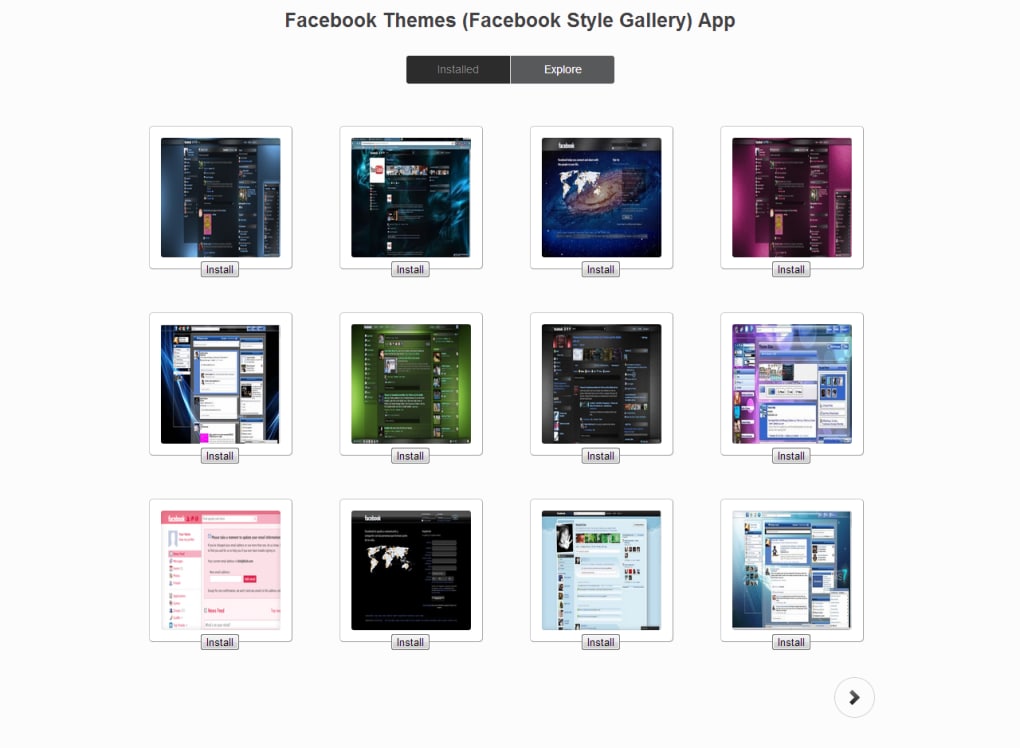
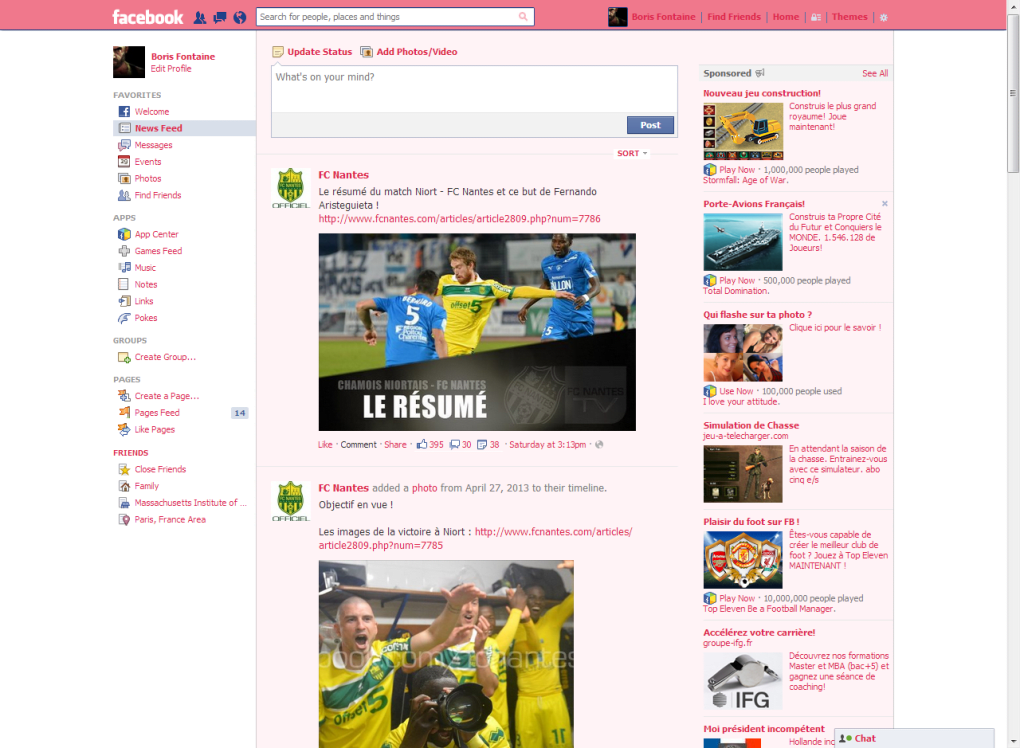
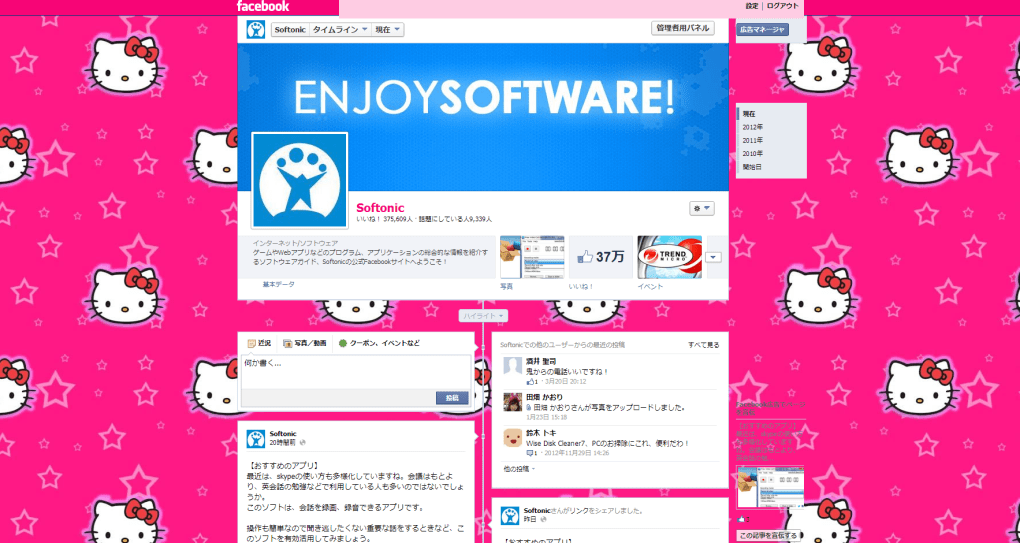
Facebook Themes is a free browser plug‑in that lets you give your Facebook timeline a fresh look without breaking the core functionality of the social network. Designed primarily for Google Chrome, the extension taps into a community‑driven gallery where users share custom CSS packs that can alter background images, text colours, frame borders and even button styles. In theory, the tool promises a “Facebook the way you want it,” offering a simple download, a one‑click install, and an instant visual makeover.
In practice, the experience hinges on the quality of the themes created by volunteers, which can range from sleek, mobile‑responsive designs to garish colour combos that obscure content. The plugin itself works reliably – it injects the selected stylesheet into the Facebook page and updates automatically whenever you switch themes. However, the supporting Theme Creator site is notoriously cluttered: categories are overloaded with outdated entries, previews are often misleading, and you’re forced to sign up or share a post just to preview a theme.
This friction can make the selection process feel like a gamble, especially for users who value a clean, professional look. Despite these drawbacks, Facebook Themes remains a handy tool for power users who love to tinker with their social media aesthetics, and it stays compatible with the latest Chrome releases and other Chromium‑based browsers. The extension is lightweight (under 2 MB), updates automatically via the Chrome Web Store, and does not require any additional software, making it a secure, low‑maintenance way to personalize your feed.
Key Features
- Extensive Theme Gallery: Access thousands of user‑generated themes ranging from minimalist dark modes to vibrant, image‑rich layouts.
- One‑Click Installation: Apply a theme instantly with a single click; the extension handles CSS injection automatically.
- Live Preview Option: Hover over a theme thumbnail to see a quick preview of background and colour changes (though full rendering may differ).
- Custom Theme Builder: Advanced users can create their own CSS files and upload them directly through the extension’s dashboard.
- Automatic Updates: The plug‑in receives regular security patches and compatibility fixes via the Chrome Web Store.
- Cross‑Platform Support: Works on Windows, macOS, Linux, and Chrome‑based browsers on Android and iOS (via Chrome for mobile).
- Secure & Privacy‑Focused: No personal data is collected; the extension only modifies the visual layer of Facebook.
- Lightweight Performance: Minimal impact on page load times; the CSS is cached locally after the first use.
- Community Rating System: Themes are rated by users, helping you spot high‑quality designs quickly.
- Easy Theme Reset: Switch back to Facebook’s default look with a single “Reset” button.
Installation & Usage Guide
Getting started with Facebook Themes is straightforward. Follow these steps to download, install, and start customizing your Facebook experience:
- Open the Chrome Web Store: Navigate to the official Chrome Web Store page for “Facebook Themes.” Ensure you are using the latest version of Google Chrome (or any Chromium‑based browser such as Edge or Brave) for optimal compatibility.
- Click “Add to Chrome”: The extension will download automatically (the file size is less than 2 MB). Chrome will prompt you to confirm the permissions required – the plug‑in only needs access to facebook.com to inject styles.
- Confirm Installation: After clicking “Add extension,” you’ll see a small notification confirming the successful installation. An icon resembling a paintbrush will appear in your toolbar.
- Open Facebook: Visit facebook.com. The extension will detect the site and display a small “Themes” button near the top‑right corner of the page.
- Browse the Theme Gallery: Click the button to open the Theme Creator site in a new tab. Use the search bar or category filters to locate a theme that matches your taste. Pay attention to user ratings and preview images.
- Apply a Theme: Hover over a theme thumbnail and click “Apply.” The extension injects the selected CSS instantly; you’ll see your timeline transform within seconds.
- Fine‑Tune Settings: If the theme alters text readability or hides background images, use the “Adjust” option to tweak colour contrast or toggle the background on/off.
- Save Your Preference: Once satisfied, click “Save as Default.” The extension stores your choice locally, so the theme persists across browser sessions and Facebook updates.
- Switch or Reset: To try another design, repeat steps 5‑7. To revert to Facebook’s native look, press the “Reset” button in the extension’s popup.
- Keep the Extension Updated: Chrome automatically updates extensions, but you can manually check for updates in chrome://extensions → “Update” to ensure you have the latest security patches.
The entire process typically takes less than five minutes, even for users who are new to browser extensions. Because the plug‑in does not require any additional software, it remains a free, secure, and low‑maintenance solution for personalising your social feed.
Compatibility, Pros & Cons
Supported Operating Systems
Facebook Themes is built as a Chrome extension, which means it works across all major operating systems that support Google Chrome or Chromium‑based browsers:
- Windows 10, 11 (64‑bit)
- macOS 10.15 (Catalina) and later
- Linux distributions with Chrome/Chromium (Ubuntu, Fedora, etc.)
- Android 8.0+ via Chrome for Android
- iOS 13+ via Chrome for iOS (limited to CSS injection due to Apple’s restrictions)
Pros
- Free & Easy to Install: No cost, one‑click download from the Chrome Web Store.
- Wide Theme Variety: Community‑driven gallery provides endless design options.
- Lightweight & Fast: Minimal impact on page load times and memory usage.
- Secure Design: Does not collect personal data; only modifies visual appearance.
- Cross‑Device Consistency: Works on desktop and mobile Chrome, keeping your look uniform.
- Automatic Updates: Receives security patches automatically through Chrome.
Cons
- Inconsistent Theme Quality: Since themes are user‑generated, many are poorly designed or outdated.
- Cluttered Theme Marketplace: Searching can be frustrating; categories are overloaded with low‑rating entries.
- Mandatory Account Creation: To preview or download many themes, you must create an account or share a post on Facebook.
- Limited Preview Accuracy: The preview does not always reflect how the theme will appear on your timeline, leading to unexpected colour clashes.
- Chrome‑Only Restriction: Users of Safari, Firefox, or non‑Chromium browsers cannot use the extension.
Overall Rating: 3.5/5 – Facebook Themes offers a fun way to personalize your feed, but the uneven quality of community themes and the cumbersome marketplace lower its practicality for everyday users.
Frequently Asked Questions
Is Facebook Themes completely free to use?
Yes, the extension and all themes available in the gallery are free. However, some theme creators may ask you to share a Facebook post or sign up for an account to access their designs.
Can I use Facebook Themes on browsers other than Chrome?
The plug‑in is built exclusively for Chrome and Chromium‑based browsers (Edge, Brave, Opera). It does not work on Safari or Firefox.
Will Facebook Themes collect my personal data?
No. The extension only injects CSS into the Facebook page. It does not request or store any personal information beyond the minimal permissions required to modify the site’s appearance.
How do I revert to the original Facebook look?
Open the Facebook Themes toolbar icon and click the “Reset” button. This removes the injected stylesheet and restores Facebook’s default theme instantly.
Does the extension affect Facebook performance or speed?
Because it only adds a small CSS file, the impact on page load time is negligible. Users with older hardware may notice a tiny delay when switching large, image‑heavy themes, but overall performance remains smooth.
Conclusion & Call to Action
Facebook Themes delivers a playful, free solution for anyone eager to break away from the default blue‑and‑white layout of the social network. Its straightforward installation, cross‑platform reach, and vast community gallery make it a compelling tool for power users who love to experiment with visual styles. Yet, the variability in theme quality and the cumbersome marketplace mean that casual users may spend more time hunting for a decent design than actually enjoying a new look. If you’re comfortable navigating user‑generated content and don’t mind creating a quick account to unlock the best themes, the plug‑in can breathe fresh life into your feed without any cost or security concerns.
Ready to give your Facebook a makeover? Download Facebook Themes now from the Chrome Web Store, install it in seconds, and start exploring the endless palette of community‑crafted designs. Remember to keep the extension updated for the latest security patches, and enjoy a personalized social experience that truly reflects your style.







